
Identify Terms searches for secondary terms near the primary term of a code, using the built-in dictionaries and your own dictionaries. It opens in a separate window from the Identify Terms local tool of the Open Codes tool, and searches the code in the active tab. Terms you mark appear in the code's Marked Terms panel.
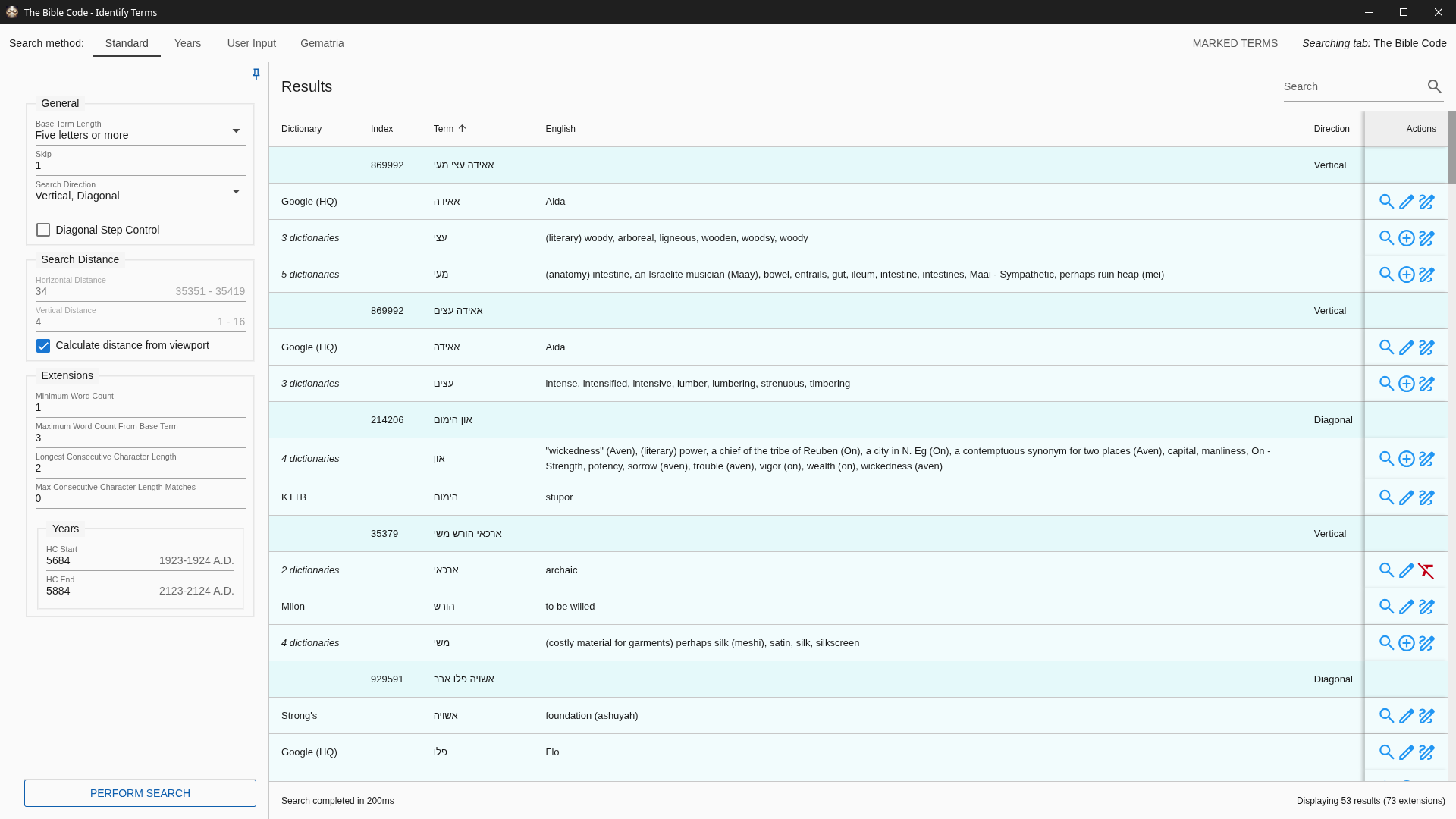
- Standard: searches the dictionaries for terms of the chosen Base Term Length.
- Years: searches for Hebrew years within the range set in the Years group.
- User Input: searches for Hebrew words you enter, each with a translation. Rows are added or removed as you type, and Open Dictionary helps you find words to add.
- Gematria: searches for terms with the given gematria values, using the chosen Gematria Method. Open Gematria Calculator helps you work out the values.
The search settings are shown in a panel on the left. Hover over the bar on the left edge of the window to show it, or pin it to keep it open. The Search Distance group limits how far from the primary term to search, and Calculate distance from viewport uses the area currently visible in the matrix. Click Perform Search to search.
Results with extensions are listed as a header row followed by a row for each of their words. The search box above the table filters the results. Each row has these actions:
- Search Term: filters the results by the term.
- Edit Translation: changes the translation used when the term is marked.
- Mark individual terms: lists every translation of a term that has several, so you can mark only the one you need.
- Mark Term and Unmark Term: add the term to the code, or remove it.
The Marked Terms tab lists every term marked in the code.
The Code Search tool has its own Identify Terms local tool, which searches every result of the current code search at once. The Results Search Range group selects which results to search with Page and Count Per Page, or with Precise Range Mode. Search All searches every result. While this window is open, new code searches are paused until it is closed.